


This is Part 2 of The Architecture of Agency, a 5-part series translating Agentic AI jargon into the software architecture paradigms you already know.
In Part 1, we diagnosed the disease. Our Acme Corp support bot was a stateless prediction engine wearing a name tag confidently quoting a 60-day refund policy that didn’t exist, forgetting the customer’s account number mid-conversation, and describing discontinued products in glowing detail. We established that the root cause wasn’t stupidity. It was myopia. The model couldn’t see what it needed to see.
Today, we give it glasses. And hands. And a filing cabinet.
But first, we need to talk about a decision that will define the next two years of your AI strategy one that most teams get catastrophically wrong because they don’t even realize they’re making it.
The Spectrum Nobody Told You About
Here’s the question every team faces the moment they move past a basic chatbot: How much autonomy should this system have?
The industry loves to throw around the word “agent” as if it’s a binary state. You’re either a chatbot or an agent. That’s like saying you’re either a bicycle or a self-driving car. The reality is a spectrum, and understanding where you sit on it is the most consequential architectural decision you’ll make.
On one end, you have Agentic Workflows. These are deterministic pipelines where the LLM is one component among many, but a human (or a hardcoded script) decides the sequence. Think of it like an assembly line. Step 1: classify the ticket. Step 2: look up the customer. Step 3: draft a response. Step 4: route to a human for approval. The LLM handles each step, but the flow is predetermined. No surprises.
On the other end, you have Autonomous Agents. These are systems where the LLM itself decides what to do next. It reads the customer’s message, reasons about which tools to call, calls them, evaluates the results, and decides whether to respond, escalate, or take another action all without a human in the loop. The flow is emergent, not scripted.
Most teams, intoxicated by demo-day magic, sprint straight toward full autonomy. They want the agent to “just figure it out.” This is the AI equivalent of hiring an intern on Monday and giving them the company credit card on Tuesday.
The Bioptic Lens
I navigate this spectrum every day, and I don’t mean with AI.
When I’m reading code with my screen magnifier, I have two modes. In workflow mode, I follow a predetermined path: open the file, jump to the function definition I bookmarked, read it line by line, make my edit, run the test. The sequence is fixed. It’s efficient for tasks I understand well.
In autonomous mode, I’m debugging something I’ve never seen before. I don’t know which file to open. I don’t know which function is broken. I have to reason about where to look, try something, evaluate what I see, and decide my next move. It’s slower, more expensive (in terms of my limited visual energy), and more error-prone but it’s the only way to solve novel problems.
The key insight: I don’t use autonomous mode for everything. That would be exhausting and reckless. I use workflow mode for the 80% of tasks that are predictable and save autonomous mode for the 20% that genuinely require reasoning. The same principle applies to your AI system. Don’t give the agent a reasoning engine for tasks that need a flowchart.
Tools: Giving the Model Hands
So our support bot is myopic. It can’t see your refund policy, can’t check the customer’s account, can’t look up order history. The first fix is obvious: give it access to the systems that contain this information.
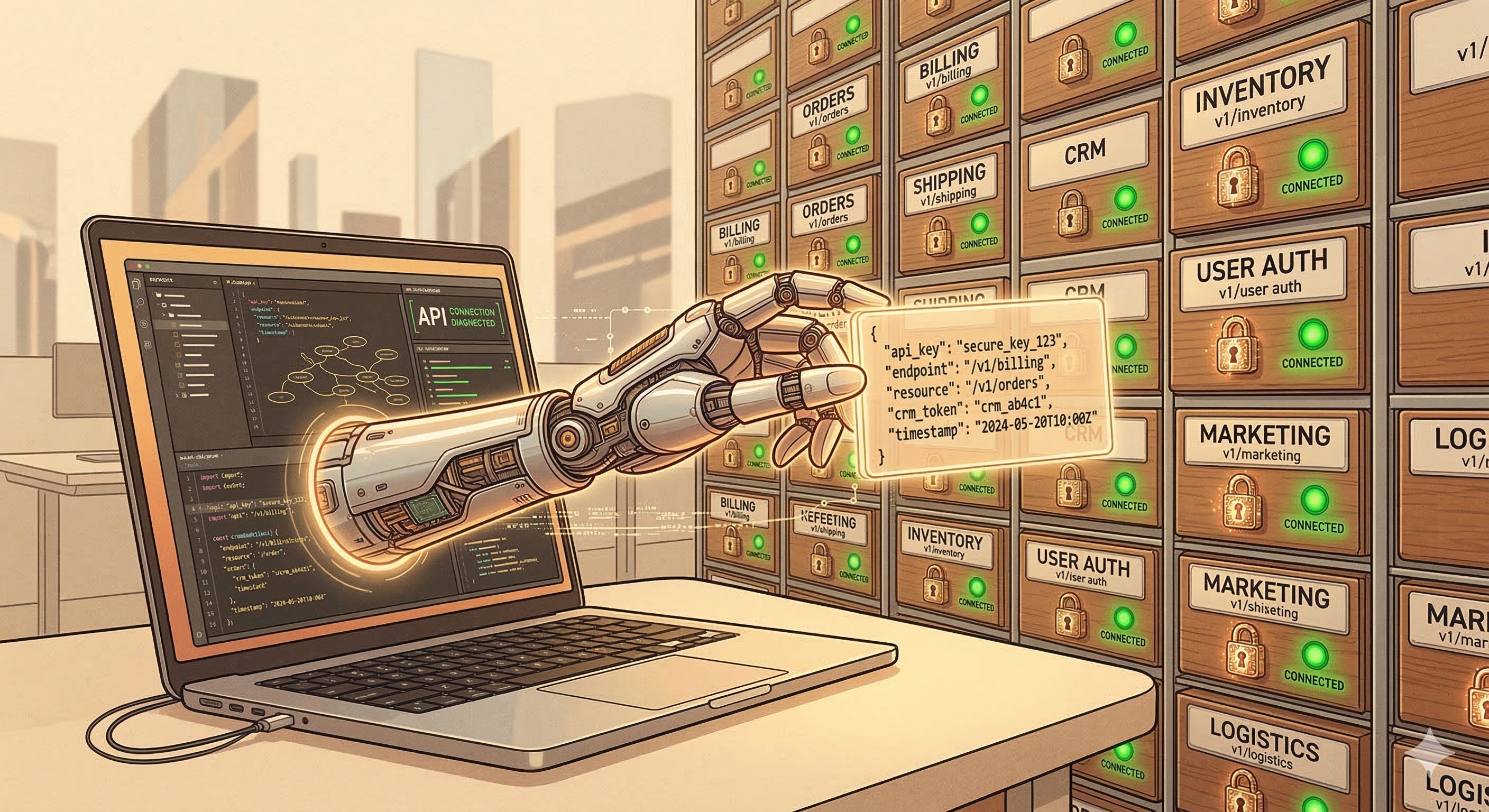
In LLM architecture, this is called function calling (or tool use, depending on the provider). The concept is beautifully simple. You tell the model: “Here are the tools you have available. Each tool has a name, a description, and a set of parameters.” When the model determines it needs information it doesn’t have, it generates a structured request to call one of those tools.
Here’s what the interaction looks like under the hood:
User: "What's the status of my order #12345?"

Model thinks: "I need to look up order #12345. I have a tool
called 'get_order_status' that takes an order_id parameter."

Model outputs: { "tool": "get_order_status", "params": { "order_id": "12345" } }

System calls the real API, gets: { "status": "shipped", "tracking": "1Z999..." }

System injects the result back into the conversation.

Model responds: "Your order #12345 has shipped!
Here's your tracking number: 1Z999..."
The model never actually calls the API. It generates a structured request, your application executes it, and the result gets fed back into the context window. The model is the brain; your application is the nervous system.
This is where the microservices analogy from the series intro starts to pay dividends. If you’ve built REST APIs before, you already understand tool definitions. A tool definition is essentially an OpenAPI spec that the model can read. It has an endpoint name, a description of what it does, and a schema for the input parameters. The model uses the description to decide when to call the tool and the schema to decide how to call it.
The quality of your tool descriptions matters enormously. A vague description like “Gets customer info” will lead to the model calling the tool at the wrong times. A precise description like “Retrieves the billing address, payment method, and subscription tier for a customer given their account ID. Use this when the customer asks about their account details or billing” gives the model the context it needs to make good decisions.
Tool Orchestration: The Difference Between a Swiss Army Knife and a Workshop
Here’s a subtlety that trips up teams moving from prototype to production: the number and specificity of your tools matters more than you think.
In a demo, you might give the model five broad tools: “search knowledge base,” “look up customer,” “check order status,” “issue refund,” “escalate to human.” Clean. Simple. Fits on a slide.
In production at Acme Corp, “look up customer” actually means six different APIs depending on whether you need billing information, subscription details, support history, shipping addresses, payment methods, or account preferences. Do you expose all six as separate tools? Or do you wrap them in one mega-tool that returns everything?
The answer reveals a tension at the heart of agentic design. More specific tools give the model better control it can fetch just the billing information without wasting context window space on shipping addresses. But more tools means more choices, and more choices mean more opportunities for the model to pick the wrong one. Give a model fifty tools and watch it spend three reasoning cycles figuring out which one to call, burning tokens and time on a decision that a hardcoded conditional would have resolved instantly.
The pragmatic approach is layered tool design. Start with a small set of high-level tools for the agentic workflow path. As you identify cases where the model needs finer control, decompose those high-level tools into more specific ones but only for the autonomous reasoning path. The 80/20 rule applies here too: 80% of interactions will use the same 5 tools. The remaining 20% might need 15 more. Design for both, but don’t front-load the complexity.
Structured Outputs: Making the Model Color Inside the Lines
There’s a related concept that transforms tool calling from “mostly works” to “production-ready”: structured outputs (sometimes called JSON mode).
By default, an LLM generates free-form text. Ask it to extract data from a customer message and it might give you a paragraph, a bulleted list, or a JSON object depending on its mood and the phase of the moon. In production, you need consistency. You need the model to output a specific JSON schema every single time, because the next step in your pipeline is code that expects a specific structure.
Structured outputs constrain the model’s generation to a predefined schema. Instead of hoping the model returns valid JSON, you guarantee it. The model can still reason and be creative within the schema, but the output format is locked. Think of it as giving someone a form to fill out instead of a blank sheet of paper.
For our support bot, this means the model doesn’t just say “the customer seems upset about billing.” It outputs:
{
  "intent": "billing_dispute",
  "sentiment": "frustrated",
  "account_id": "ACM-7742",
  "requires_escalation": false
}
Your downstream code can now route, log, and act on this reliably. No regex. No parsing prayers. No crossing your fingers that the model remembered to use curly braces.
RAG: The Handbook That Ends Hallucinations
Tools give the model hands. But what about the knowledge it needs to do its job? You can’t build a tool for every piece of information the model might need. Your refund policy isn’t an API call it’s a document. Your product catalog is a spreadsheet. Your FAQ is a wiki page.
This is the problem that Retrieval Augmented Generation (RAG) solves, and it is arguably the single most important pattern in enterprise AI.
The concept maps perfectly to something every developer has built: a search engine wired to a template. When the customer asks about refund policies, the system:
Searches a knowledge base for documents relevant to “refund policy”
Retrieves the top matches
Injects them into the model’s context window
Generates a response grounded in those actual documents
The model is no longer guessing about your refund policy. It’s reading it. Every time. In real time. If you update the policy tomorrow, the model “learns” the change immediately not because you retrained it, but because it’s reading the new version the next time someone asks.
This is the difference between memorization and literacy. We’re not trying to cram your employee handbook into the model’s brain. We’re putting the handbook on its desk and teaching it to look things up.
Vector Databases: The Filing System That Understands Meaning
Here’s where most RAG explanations lose people, because they jump straight into the math. Let’s stay in the architecture.
Traditional databases search by exact match. If you search for “refund policy” in a SQL database, you’ll find documents that contain those exact words. You won’t find the document titled “Return and Exchange Guidelines” even though it covers the same topic.
A vector database solves this by storing documents as mathematical representations of their meaning called embeddings. When you store a document, you first run it through an embedding model that converts the text into a high-dimensional vector (a long list of numbers). Documents with similar meanings end up near each other in this mathematical space.
When the customer asks “Can I get my money back?”, the system converts that question into a vector and searches for the nearest documents. It finds “Return and Exchange Guidelines” because the meaning is close, even though the words are completely different.
For engineers, think of it as a distributed hash map where the hash function preserves semantic similarity. For everyone else, think of it as a librarian who understands your question rather than just matching keywords.
The major vector database options Pinecone, Weaviate, Chroma, pgvector (an extension for PostgreSQL), and Qdrant each make different trade-offs between managed convenience, self-hosted control, and integration with your existing data stack. If your enterprise already runs PostgreSQL, pgvector lets you add vector search without adopting a new database. If you need a fully managed, purpose-built solution, Pinecone abstracts away the infrastructure entirely. The choice matters less than the quality of your embeddings and your chunking strategy both of which we’ll get to in a moment.
One architectural decision that catches teams off guard: your embedding model and your generation model don’t have to come from the same provider. You can embed your documents with a small, fast, cheap model from Cohere or Voyage AI and use Claude or GPT-4 for generation. The embedding model converts text to vectors for search; the generation model converts those vectors (well, the text they point to) into answers. They’re separate components with separate cost profiles, and optimizing each independently is one of the easiest cost wins in a RAG pipeline.

The Bioptic Lens
RAG is exactly how I navigate a codebase I’ve never seen before.
I don’t try to read every file. I don’t try to memorize the architecture. Instead, I use search IDE search, grep, the file navigator to find what’s relevant to my current task. When I’m debugging a billing issue, I search for “billing,” “invoice,” “payment.” I scan the results, pick the most relevant files, zoom in on those, and ignore everything else.
My screen magnifier shows me maybe 15 lines at a time. That’s my “context window.” I can’t waste it on irrelevant code. Every line I’m looking at needs to be there for a reason. So I’m constantly retrieving, evaluating, and discarding pulling in what matters, pushing out what doesn’t.
That’s RAG. The model has a limited context window. You fill it with the most relevant information you can find, and you make sure the irrelevant stuff stays out. The quality of your RAG pipeline how well it retrieves, how smartly it ranks, how aggressively it filters determines whether your agent is a helpful employee with the right handbook open to the right page, or a confused intern buried under a pile of every document in the building.
The RAG Pipeline: Where It Actually Breaks
In demos, RAG looks magical. In production, there are three places where it reliably falls apart.
Chunking. Before you can store documents in a vector database, you have to split them into chunks. Too large, and you waste context window space on irrelevant text. Too small, and you lose the surrounding context that gives a passage meaning. A sentence that says “See Section 4.2 for exceptions” is useless without Section 4.2. Getting chunk size and overlap right is an engineering problem that most teams underestimate.
Retrieval quality. The vector search returns the top-K most similar documents, but “most similar” and “most useful” aren’t always the same thing. A document about “refund policy for enterprise customers” might be more semantically similar to the query than “refund policy for individual customers,” even though the customer is an individual. Hybrid search combining vector similarity with traditional keyword matching often outperforms pure vector search in production.
Context injection. You’ve retrieved five relevant documents. Now you need to inject them into the context window in a way the model can actually use. Remember the “lost in the middle” problem from Part 1? If you dump all five documents into the middle of the prompt, the model will pay the most attention to the first and last ones. The order, format, and framing of retrieved documents all affect the quality of the response.
Putting It Together: The Upgraded Architecture
Let’s revisit our Acme Corp support bot with these new components in place:
Customer Ticket → Chat UI → Orchestration Layer → [RAG Search + Tool Calls] → Context Assembly → LLM → Structured Output → Response
Compare this to the naive architecture from Part 1:
Customer Ticket → Chat UI → System Prompt + History → LLM → Response
The difference is night and day. The new architecture has:
Ground truth. The model reads your actual refund policy via RAG instead of guessing. When it says “30-day refund window,” it’s citing a document, not a statistical pattern.
Live data. The model calls your billing API via function calling instead of inventing account details. When it says “your order shipped yesterday,” it checked.
Predictable structure. The model outputs structured JSON for ticket classification, routing decisions, and response drafts. Your downstream systems can rely on the format.
Controlled flow. An orchestration layer decides the sequence: classify first, retrieve second, check account third, draft response fourth. The LLM handles each step, but the pipeline is deliberate.
This is the agentic workflow end of the spectrum and for Tier-1 support tickets, it’s exactly where you want to be. The model has glasses (RAG), hands (tools), and a clipboard (structured outputs). It’s no longer a brilliant, forgetful stranger. It’s an employee with the right resources on its desk.
A Word on the “Just Paste It In” Temptation
Before we move on, let me address the shortcut that every team considers: “Why don’t we just paste the entire document into the system prompt? Context windows are huge now.”
You can do this for small knowledge bases. If your entire body of knowledge fits comfortably in 20% of the context window, skip the vector database. Paste it in. The simplest architecture that works is the right one.
But this approach hits a wall fast. First, remember the lost-in-the-middle problem from Part 1: the model doesn’t pay equal attention to everything in the context. A 50-page policy document pasted into the system prompt means the model will attend closely to the first few pages and the last few pages, while the critical nuance in the middle the exceptions, the edge cases, the “unless” clauses fades into shadow.
Second, you’re paying full token cost for that document on every single request, even when the customer is asking about something completely unrelated. If 90% of your customer questions are about order status and only 10% are about refund policies, you’re paying to inject the refund policy into 90% of interactions where it’s not needed.
RAG lets you inject only the relevant documents, only when they’re needed. It’s not just an accuracy improvement it’s a cost optimization and an attention optimization. Every token in the context window is both a dollar and a unit of the model’s limited attention. Spend them wisely.
The Autonomy Gradient: When to Let Go
But what about the complex tickets? The ones where the customer’s issue doesn’t fit a predetermined flow? The billing discrepancy that requires checking three different systems and cross-referencing the results? The complaint that’s really about a bug that nobody’s documented yet?
This is where you start sliding toward the autonomous end of the spectrum and it’s the subject that will thread through the rest of this series. In Part 3, we’ll give the model the ability to think about what it’s doing, to show its work, and to explain its reasoning before it acts. We’ll build the instrumentation to watch it think in real time.
But the foundation is what we built today. You can’t reason about data you can’t see. You can’t make good decisions without access to the systems that hold the truth. RAG and tools aren’t optional add-ons to an agent they’re the sensory organs. Without them, you’re asking a brilliant mind to operate in the dark.
Or, if you prefer my version: we just gave the model its first pair of glasses and its first set of hands. Next, we teach it to think before it reaches.